
Zen
The workspace frontend for Embeddr. Browse, search, and manage your artifacts in one interface.
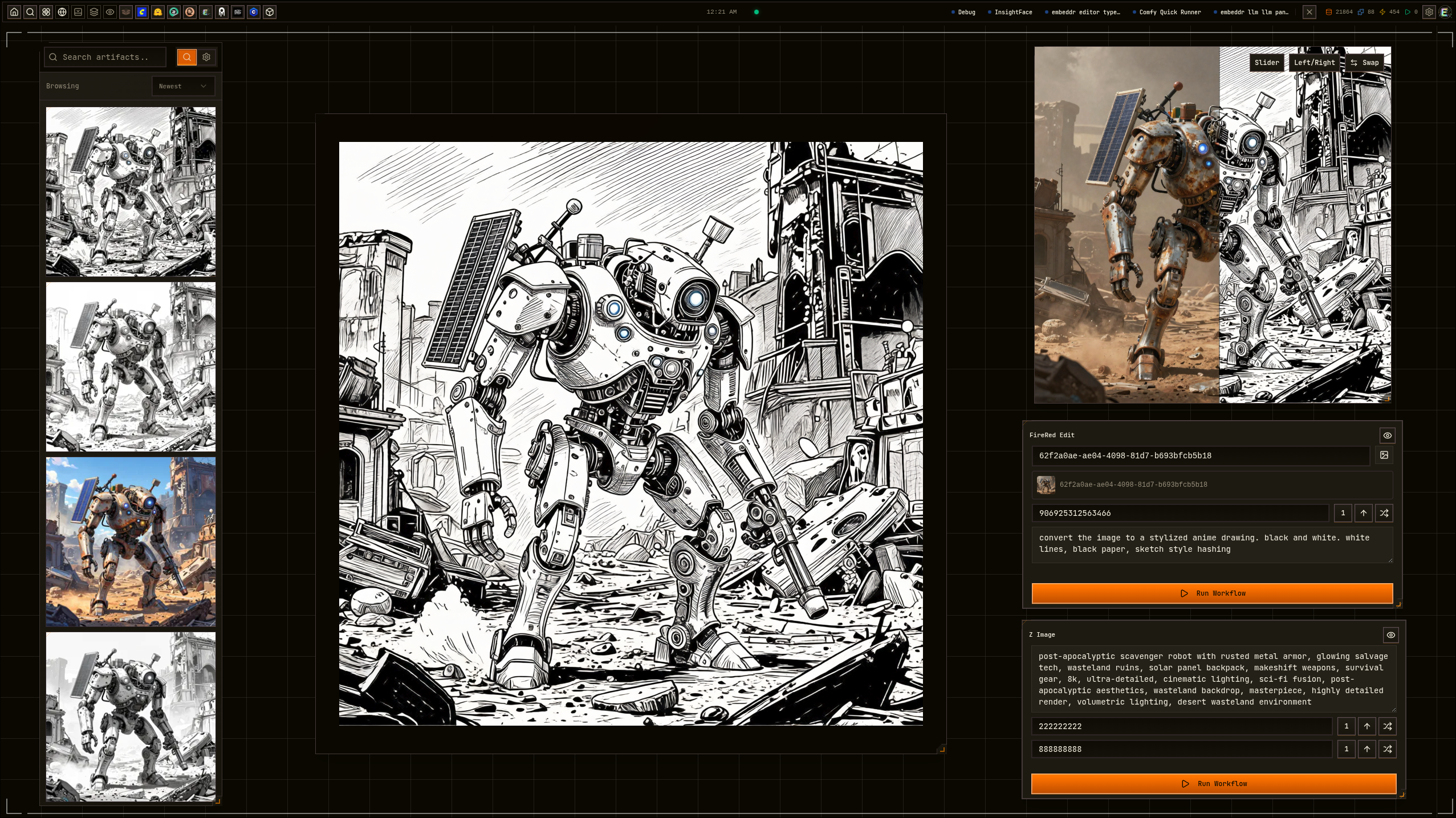
Your workspace, your way
Zen is the default frontend that ships with Embeddr. It provides a full workspace for browsing galleries, managing artifacts, running workflows, and configuring plugins — all in a panelled, themeable interface.
Features
Browse artifacts as a visual gallery with thumbnails, metadata overlays, and infinite scroll.
Find artifacts by meaning — embeddings, perceptual hashes, and metadata, not just filenames.
Open multiple panels side by side. Drag, resize, and tile them however you work.
Plugins register their own panels, pages, and actions. The UI grows with your tools.
20+ themes with OKLCH color tokens. Visual effects like VHS, Mecha HUD, and the rainbow grid.
Full-screen image viewer with zoom, pan, and before/after comparison slider.
View metadata, relations, execution history, and provenance for any artifact.
Configure plugins visually. Settings render from Lotus capability schemas — no code needed.
Switch workspaces, manage storage, configure auth and server settings from the UI.
Themeable
Every color, radius, and surface in Zen is driven by CSS tokens. Switch themes instantly or create your own.
Extensible by design
Zen doesn't hardcode features — plugins provide them.
Plugins register panels that appear in the workspace. Image editors, video players, code editors, 3D viewers — all loaded dynamically.
Right-click any artifact to see available actions. Caption an image, upscale it, run a ComfyUI workflow — all from context menus.
Effects plugins render overlays — VHS scanlines, mecha HUD grids, rainbow dot fields. Purely cosmetic, fully optional.
Plugin settings are defined as Lotus capabilities. Zen auto-generates settings UI from the schema — sliders, toggles, color pickers.
Coming soon
Zen ships with Embeddr and opens automatically when you start a workspace. Public release coming with Embeddr v0.2.0.
Open source · Apache 2.0